Published 17 September 2026. Source: Meta for Developers, "Announcing WhatsApp Business Tools MCP: Set up and manage WhatsApp business from your AI agent", 15 September 2026.
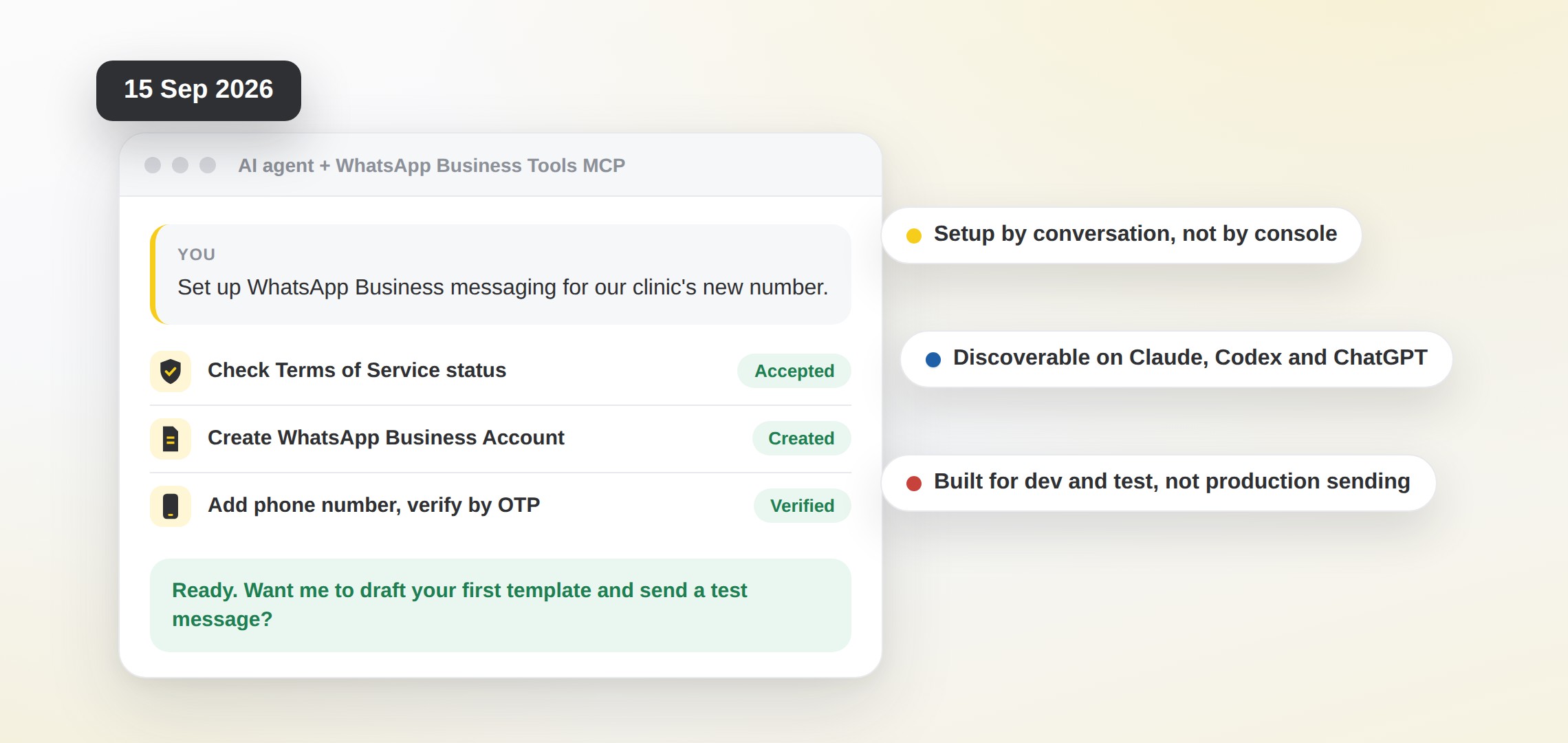
You ask your agent to set up WhatsApp Business messaging, and it does. That's the whole pitch. In Meta's words, the agent "checks your Terms of Service status, creates a WhatsApp Business Account, adds your phone number, verifies it over OTP, and registers it for the Cloud API." The server is called WhatsApp Business Tools MCP (the same post also refers to it as Meta Business Messaging MCP), and it is "currently discoverable on Claude, Codex and ChatGPT."
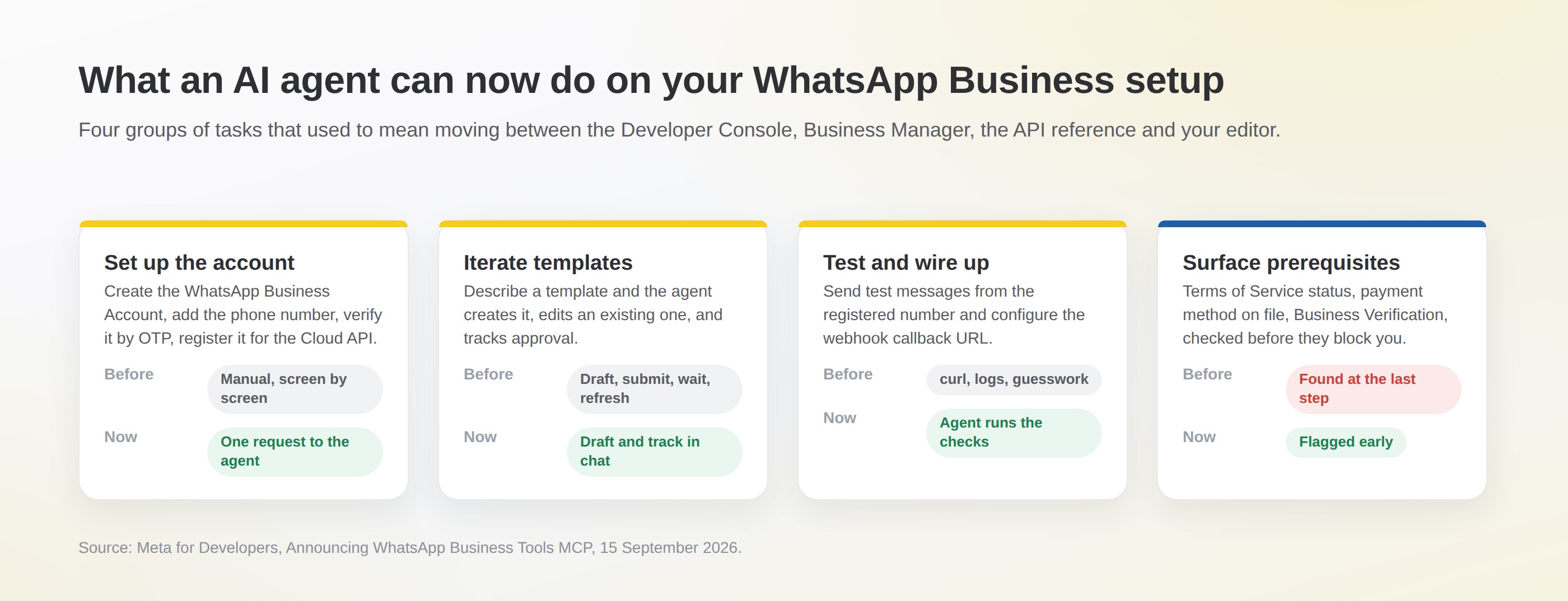
Meta groups the work the agent can take on into four:
Sign-in is Facebook Login for Business with a specific set of scopes, "so no tokens land in your prompt history." Availability is gradual: Meta says the server "may not be available to everyone yet."
Meta's getting-started line is one sentence: "Add the server to your agent's MCP configuration, sign in when prompted, and ask your agent to set up WhatsApp Business messaging." Here's what that looks like in practice, and what you need at each step.
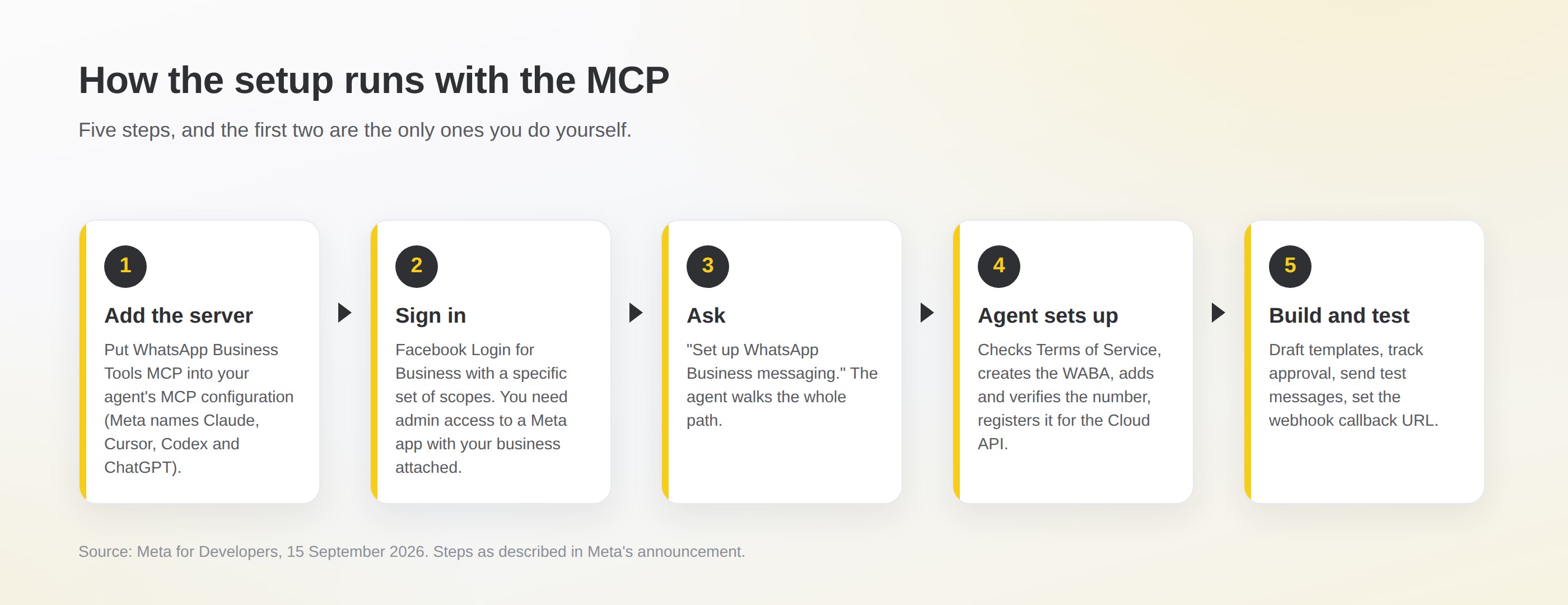
| Step | Who does it | What you need |
|---|---|---|
| Add the server to your agent's MCP configuration | You | An MCP-capable coding agent; Meta names Claude, Cursor, Codex and ChatGPT |
| Sign in with Facebook Login for Business | You | Admin access to a Meta app with your business attached; Meta checks this before any tool runs |
| Ask for the setup | You, one sentence | The phone number you want on WhatsApp |
| Terms of Service, WABA, number, OTP, Cloud API registration | The agent | The OTP arrives on the number, so keep it to hand |
| Templates, test messages, webhook callback URL | The agent, on request | An endpoint that can receive the webhook |
One thing the announcement does not say is which regions get it first. Treat "rolling out gradually" literally: if the server has not appeared in your agent's directory yet, that is expected, not a fault on your side.
The line that matters most is near the end of Meta's post: "This release is built for development and testing workflows, not production sending at scale." Read that as a design statement, not small print. The MCP sets a channel up. It does not run it.
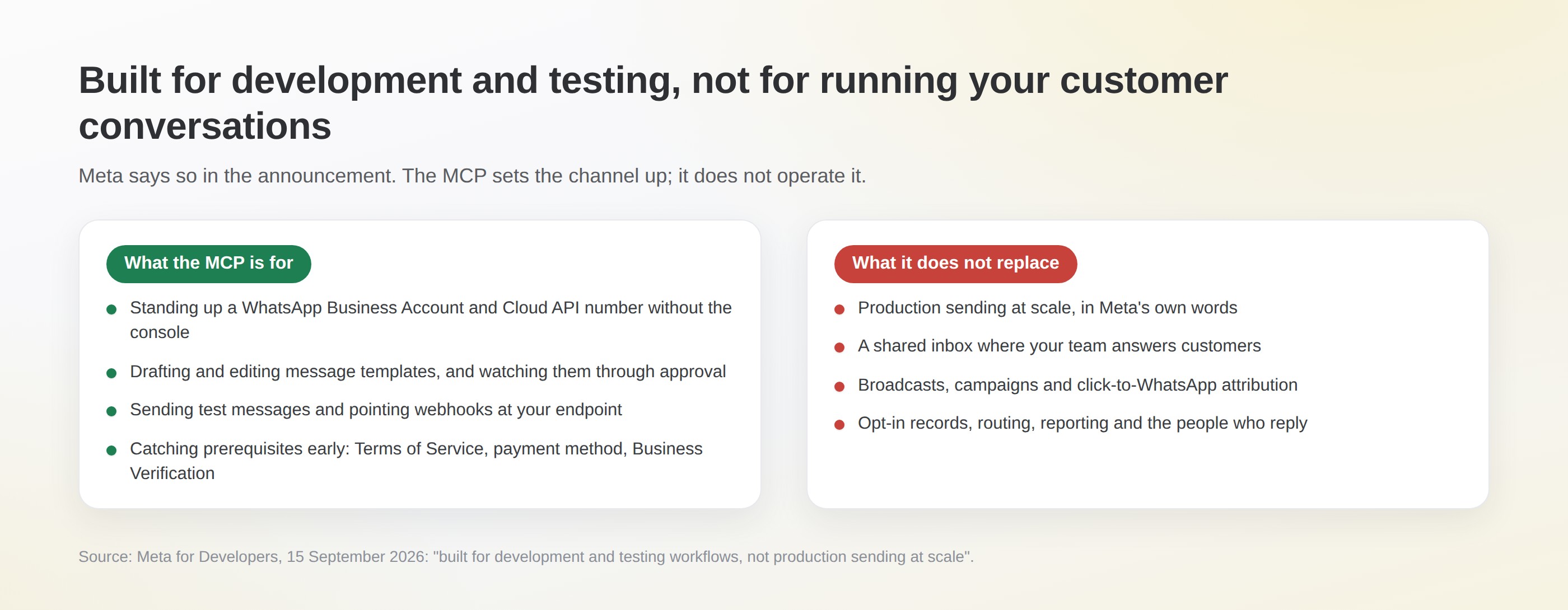
What it does well is the part of WhatsApp that has always been tedious: the account, the number, the first templates, the webhook. If you have a developer and a test account, it looks like the fastest route yet from nothing to a working Cloud API number. We'd say that even though it competes with part of what we do.
What it leaves untouched is everything after the first message: who answers, in which inbox, with which automations, against which opt-in records, and how you report on it. That is where the cost and the value of WhatsApp both live.
This is not a one-off. Reading the Meta for Developers blog back through the year gives you the sequence: the Meta AI Developer Assistant went live for Business Messaging on 13 May, Meta Social Technologies MCP was announced on 30 June (as Developer Tools MCP, renamed on 18 August), an MCP server for Meta's ads platform followed on 16 July, and now WhatsApp on 15 September. Meta keeps the two MCPs distinct: Social Technologies for Graph API discovery and documentation, the WhatsApp one "for WhatsApp accounts, phone numbers, templates, webhooks, and test messages."
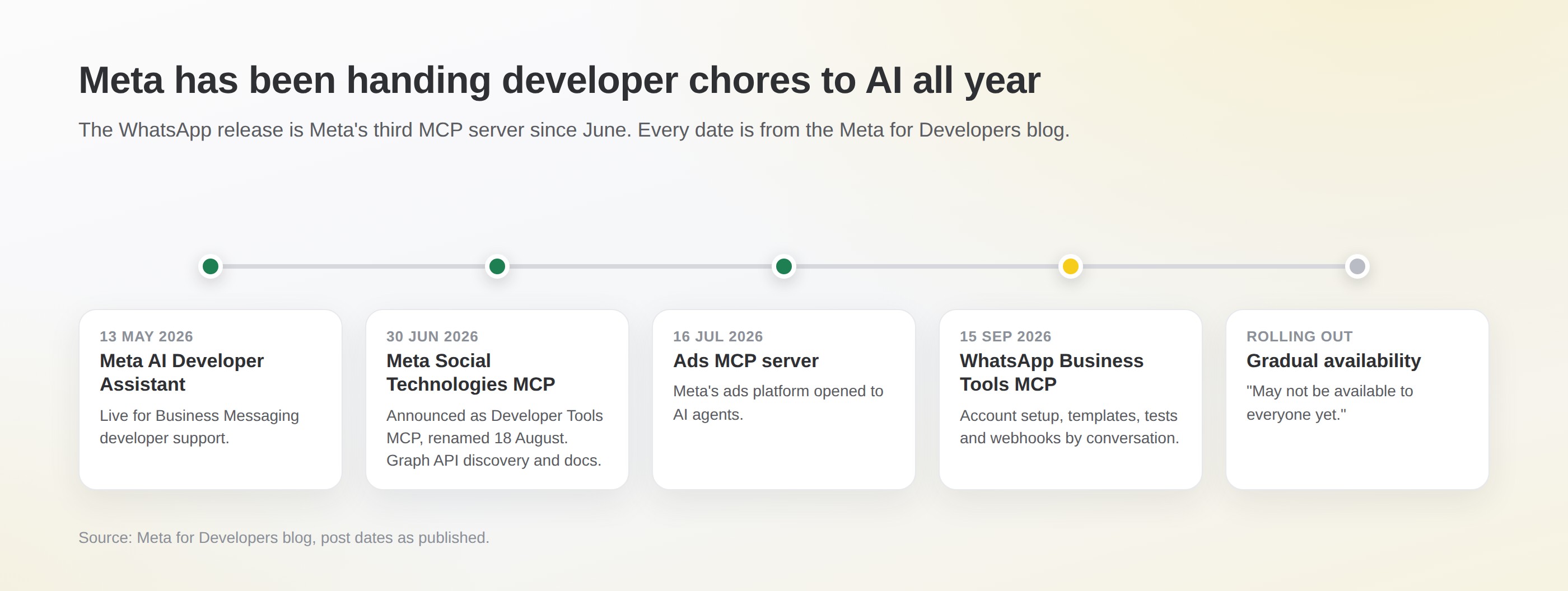
The signal for you is simple: Meta expects developers to reach its business messaging platform through agents, not consoles. Setup friction was one of the reasons businesses came to a partner. That reason is getting weaker, and we think that's fine, because setup was never the hard part.
Already on imBee? Nothing changes: WhatsApp Business API onboarding is part of the plan and was done with you. If there are templates you've been meaning to create, send them over.
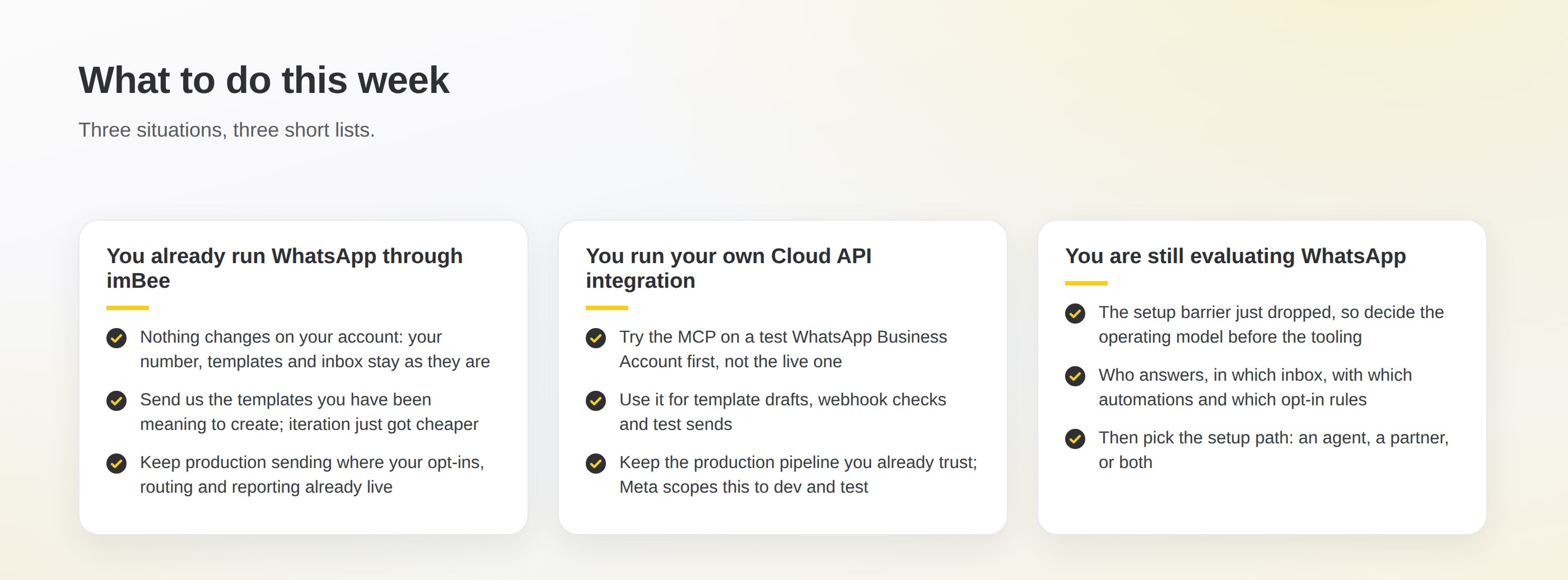
Running your own Cloud API integration? Test account first, never the live one, and keep the production pipeline you already trust.
Still evaluating WhatsApp? Decide the operating model before the tooling. Our WhatsApp Business API explainer covers the account types, and the 1 October 2026 pricing guide covers what each message will cost once you are live. If you'd rather talk it through, our team (imBee is an Official Meta Technology Partner) has set up WhatsApp for businesses across Hong Kong, Singapore, Malaysia and Indonesia and will tell you plainly whether the MCP route or a partner route fits.
What is WhatsApp Business Tools MCP?
It is a Model Context Protocol server released by Meta on 15 September 2026. Once added to an AI agent's MCP configuration, the agent can check your Terms of Service status, create a WhatsApp Business Account, add and verify a phone number, register it for the Cloud API, create and edit message templates, track template approval, send test messages and configure webhooks, all through conversation.
Which AI agents can use it?
Meta names Claude, Cursor, Codex and ChatGPT as the coding agents it connects, and says the server is currently discoverable on Claude, Codex and ChatGPT. You sign in with Facebook Login for Business and grant a specific set of scopes, so no access tokens are pasted into the chat. Meta describes the rollout as gradual, so it may not appear for every account straight away.
Can it send customer messages at scale?
No. Meta states that this release is built for development and testing workflows, not production sending at scale. It is a setup and testing tool. Production sending, a shared inbox, broadcasts, opt-in records and reporting still sit with your own Cloud API integration or with a messaging platform such as imBee.
I'm an imBee customer. Do I need to do anything?
No. Your WhatsApp Business Account, phone number, approved templates and inbox are unchanged, because API onboarding is part of your imBee plan and was completed with you. The MCP is a developer tool for creating and testing new setups, not something that touches an account already in production.
Does this change WhatsApp Business pricing?
No. The MCP is a developer tool and Meta's announcement says nothing about message prices. Pricing is set separately by Meta's per-message rate cards, and the next change, which makes service messages and in-window utility templates billable, takes effect on 1 October 2026 regardless of how your account was set up.
imBee Editorial Team
Content and product marketing, imBee
The imBee Editorial Team writes about WhatsApp Business, omnichannel messaging and the platform changes that affect how businesses in Hong Kong, Singapore, Malaysia and Indonesia talk to their customers. Every platform fact is checked against the primary source and dated.
Questions about anything in this article? Talk to our team.
Discuss your channels, team and conversation handover needs in a product demo.